Input
Pen mode
Pen mode is used to block or control touch input when using a stylus. Pen mode activates automatically — either as soon as you touch the screen with a stylus (if Enabled is on) or immediately when the editor loads (if Activate on load is on).
If Show indicator is on, an indicator appears in the upper left corner of the screen while pen mode is active. Click it to exit pen mode.
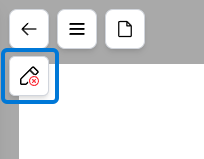
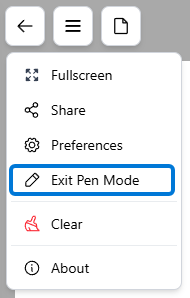
If Show indicator is off, the indicator won't appear. Exit pen mode from the menu instead, using Exit Pen Mode, which is only shown while pen mode is active.
When pen mode is enabled, any touch input will be handled according to the touch action setting.
Regardless of how touch action is set, you are still able to interact with toolbars and menus using touch.
Palm rest
For devices that are touch capable but do not have either an integrated stylus or built in palm rejection, you can enable the palm rest to be dispalyed in the editor.
The palm rest provides a customizable area on the bottom of the editor to rest your palm while you write. Input, whether it be from touch, pen, or a mouse, inside the palm rest area is ignored.
The palm rest is turned on through the editor menu. Additionally, you can set the palm rest to be turned on by default when you open the editor in your selected profile.